Bulk image editing,
built for your desktop
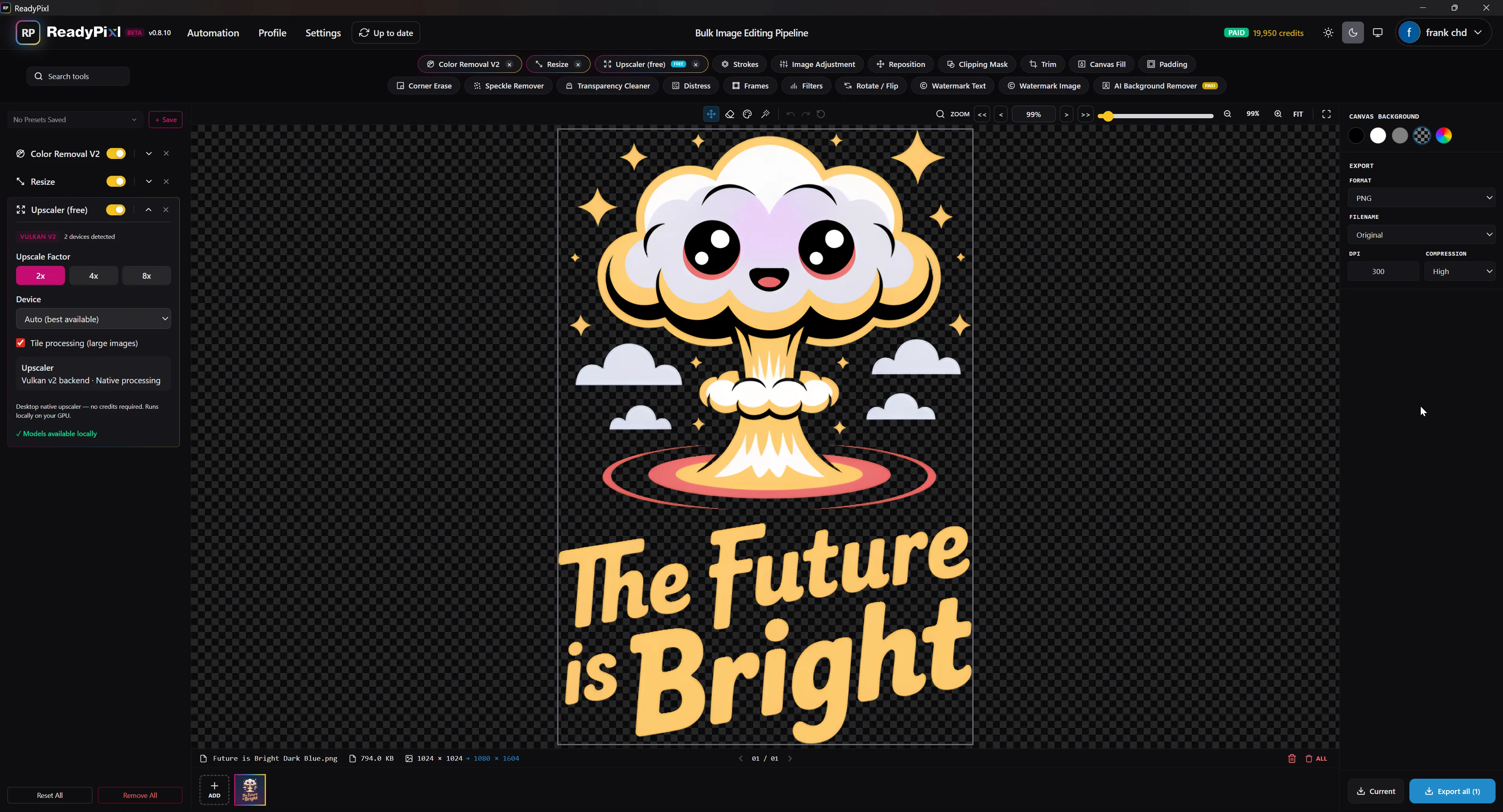
Process hundreds of images at once — reposition, color removal, upscale and more. Made for print-on-demand sellers and creators.
7-day free trial — no credit card required. $49 one-time after that.
Download ReadyPixl Desktop
Version 0.8.60 — sign in, install, and start your 7-day free trial. No credit card required.
Buy once, keep it forever — 1 year of free updates included. The launch price is applied automatically at checkout.
Instant delivery. By buying you consent to immediate access and waive the EU/UK 14-day withdrawal right. No refunds except where required by law — try the free trial first.
No refunds — the 7-day free trial is the safety net. Full pricing details →
Why ReadyPixl Desktop
Power that lives on your machine
Buy once, keep it forever
One flat payment — no subscription. The app is yours.
- ● No subscription, ever
- ● 1 year of free updates included
- ● Yours to keep — works offline
paid once · keep it forever
0
monthly fees
1 yr
free updates
∞
forever access
Offline AI Upscaler
On-device2×
4×
8×
No internet. No queue. No credits.
Runs locally
Free offline AI upscaler
Upscale images 2×, 4×, or 8× entirely on your own machine. It's free forever, never spends credits, and works with no internet connection.
A command-line tool that means business
Drive ReadyPixl from your terminal, Python scripts, or scheduled jobs. Point it at a folder and it processes everything — built from the ground up to be called by other apps and by AI agents like Claude or Codex.
$ readypixl batch ./mockups \
    --template "etsy-listing" \
    --upscale 4x --out ./ready

✓ 214 images processed in 38s · saved to ./ready
Process without opening the app
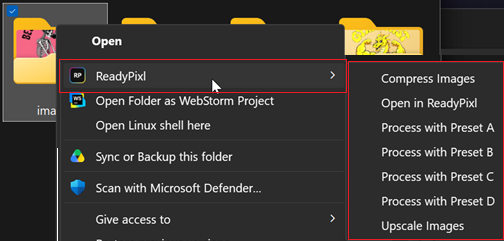
Right-click any image — or a whole folder — straight from your file explorer. Apply a saved template, compress, or open it in ReadyPixl. No launching, no dragging, no waiting.
- → Apply a saved template instantly
- → Compress one image or a full folder
- → Open in ReadyPixl for fine-tuning
21 built-in tools
Everything you need to batch-edit, in one place
Free tools
18 includedDesktop-only — free, runs locally
Offline Upscaler
2× / 4× / 8× · on-device
Premium — uses credits
via third-party AI APIsAI Background Remover
Cloud AI · credit-based
AI Upscale
Cloud AI · credit-based